Protect PDF
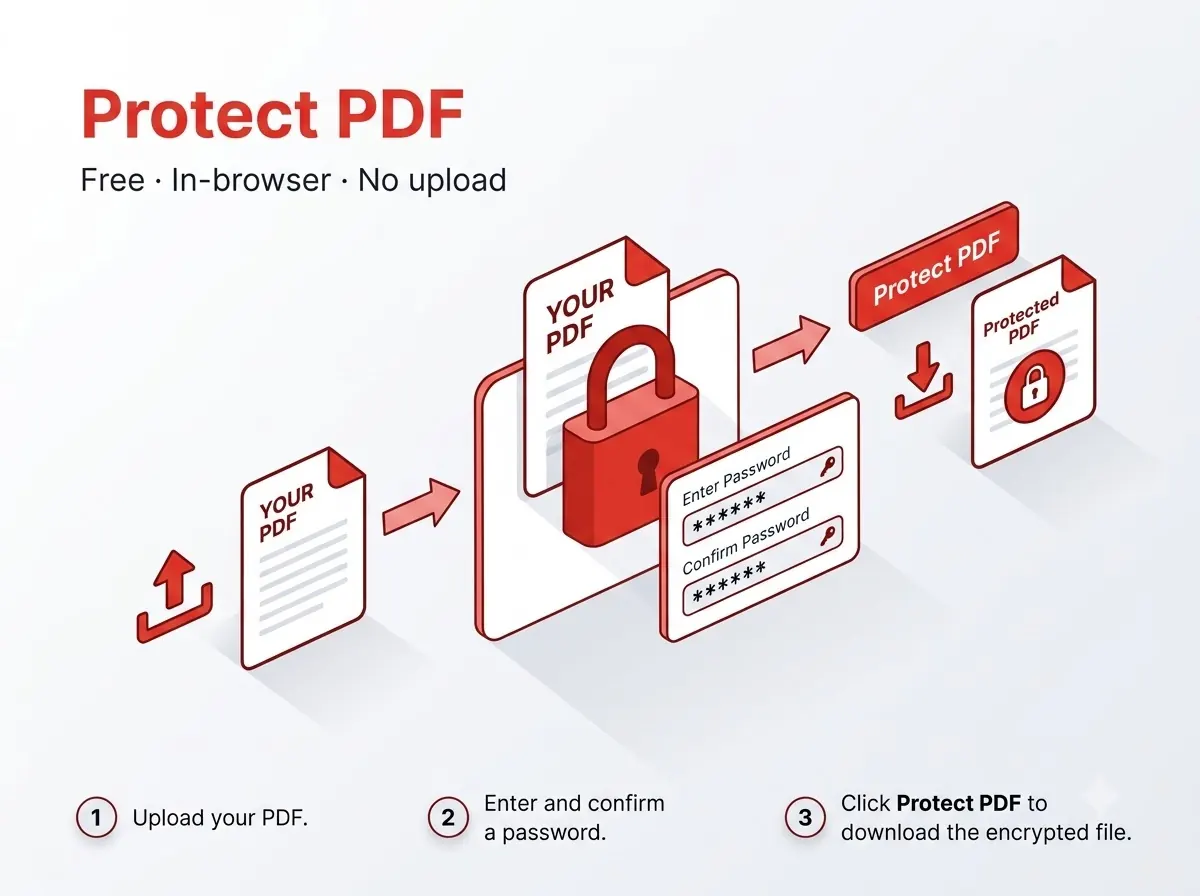
Add a password so the PDF can only be opened by someone who knows it — for emailing sensitive documents like mark-sheets or offer letters.


How it works
- Set an open password (needed just to view the file).
- Encryption happens on your device before download.
Private by design
The file never leaves your device — everything runs inside your browser tab using JavaScript PDF libraries, with nothing uploaded to any server. That also means there's no per-day limit on how many files you process, since nothing is metered on a server.
Good to know
The finished file downloads straight to your device's normal Downloads folder with a new file name, so the original stays untouched and you can tell the two apart at a glance.
Frequently asked questions
What if I forget the password I set?
There's no recovery — the file is genuinely encrypted, so keep the password somewhere safe.
Is there a sign-up or a watermark?
No — no account needed and the output file carries no watermark.
Does it work on mobile?
Yes, it runs in any modern mobile browser on Android or iPhone, not just on desktop.
Is my file kept or deleted after processing?
Neither — it's never uploaded in the first place, so there's nothing stored on any server to delete.
Reviewed by Manoj Pathak & Pallavi Yadav, Toolzo team — updated 23 September 2026.