Organize PDF
Reorder, rotate or delete pages inside a PDF by dragging thumbnails — for fixing a document that was scanned in the wrong order or has an upside-down page mixed in.
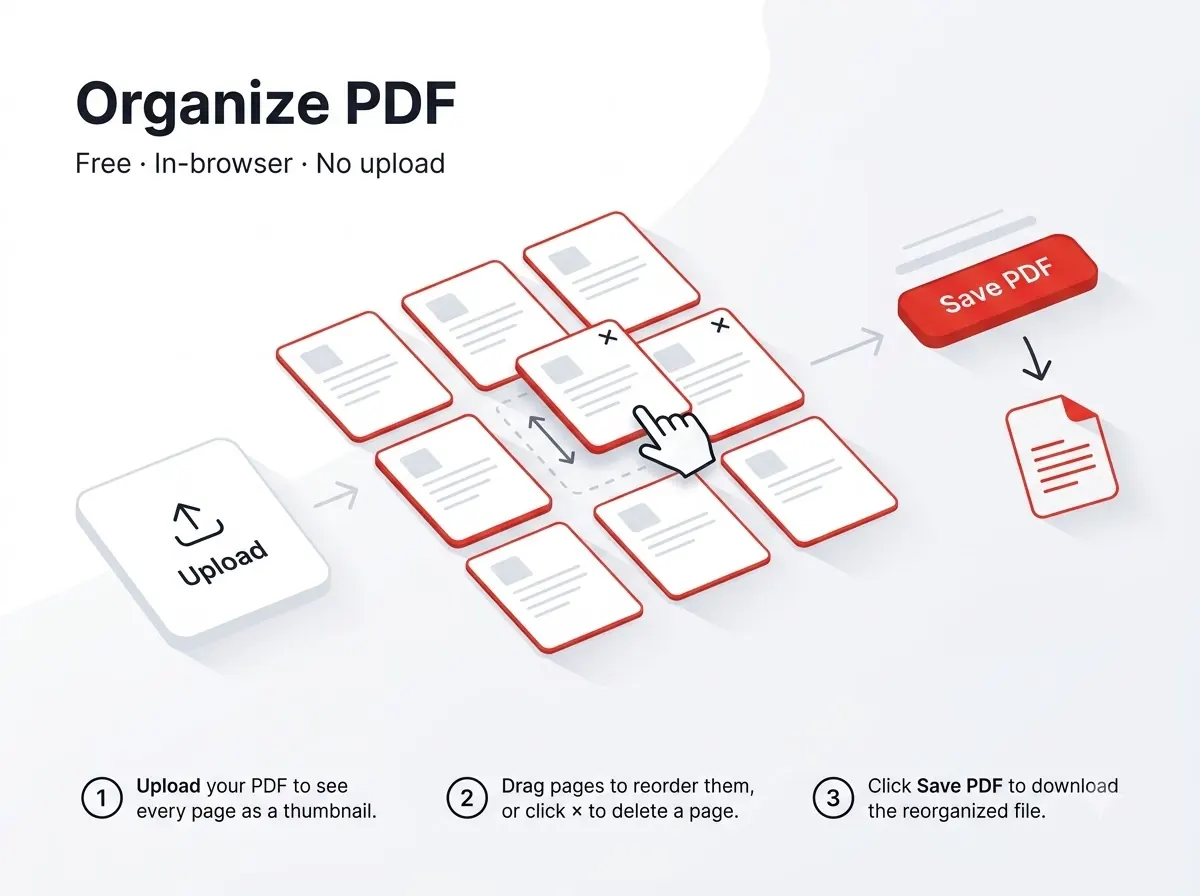



How it works
- Drag any page thumbnail to a new position.
- Rotate or delete individual pages without affecting the rest.
Private by design
The file never leaves your device — everything runs inside your browser tab using JavaScript PDF libraries, with nothing uploaded to any server. That also means there's no per-day limit on how many files you process, since nothing is metered on a server.
Good to know
Because processing happens in the browser tab itself rather than a native app, it behaves the same way on a laptop, a Chromebook or an Android phone — anywhere a modern browser runs.
Frequently asked questions
Does this change the file size much?
Only slightly — the page content is unchanged, just its order/orientation.
Is there a sign-up or a watermark?
No — no account needed and the output file carries no watermark.
Does it work on mobile?
Yes, it runs in any modern mobile browser on Android or iPhone, not just on desktop.
Is my file kept or deleted after processing?
Neither — it's never uploaded in the first place, so there's nothing stored on any server to delete.
Reviewed by Manoj Pathak & Pallavi Yadav, Toolzo team — updated 23 September 2026.